How to Get Millions of Views with AI UGC
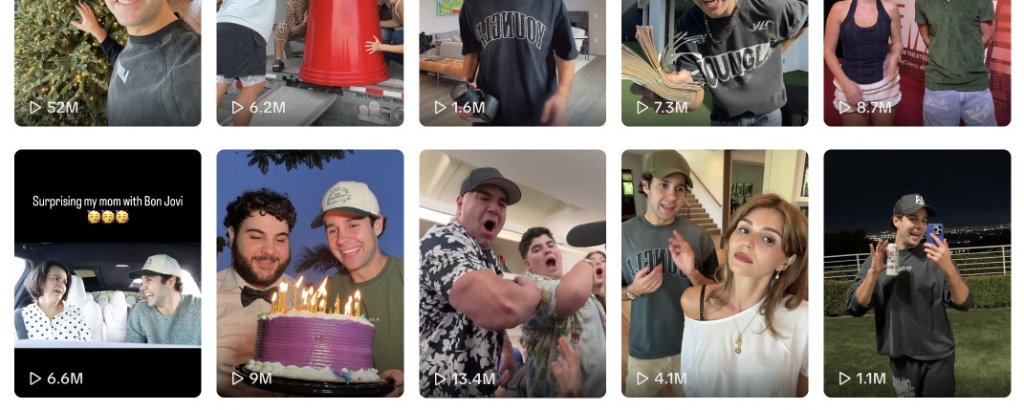
We live in the age of UGC content.
You can hate on it, vilify it, or ignore it, but you can't say it doesn't work. I want to show you how it can work for your project/company.
Let's start with some proof of how powerful UGC can be
Cantina is an app that lets you create AI characters and then send video messages to your friends using those AI characters. It's a cool app, but nothing crazy. Truthfully, it's a wrapper on a few AI video models.
Then you notice they have 1M+ downloads on their app. Not too shabby after all.
Almost all of that growth stems from their initial UGC launch. They did a 30 day push with 10 small UGC accounts and ended up getting 68 million+ views across TikTok and Instagram.
A few of their viral successes with 14M, 6M, and 4M views:
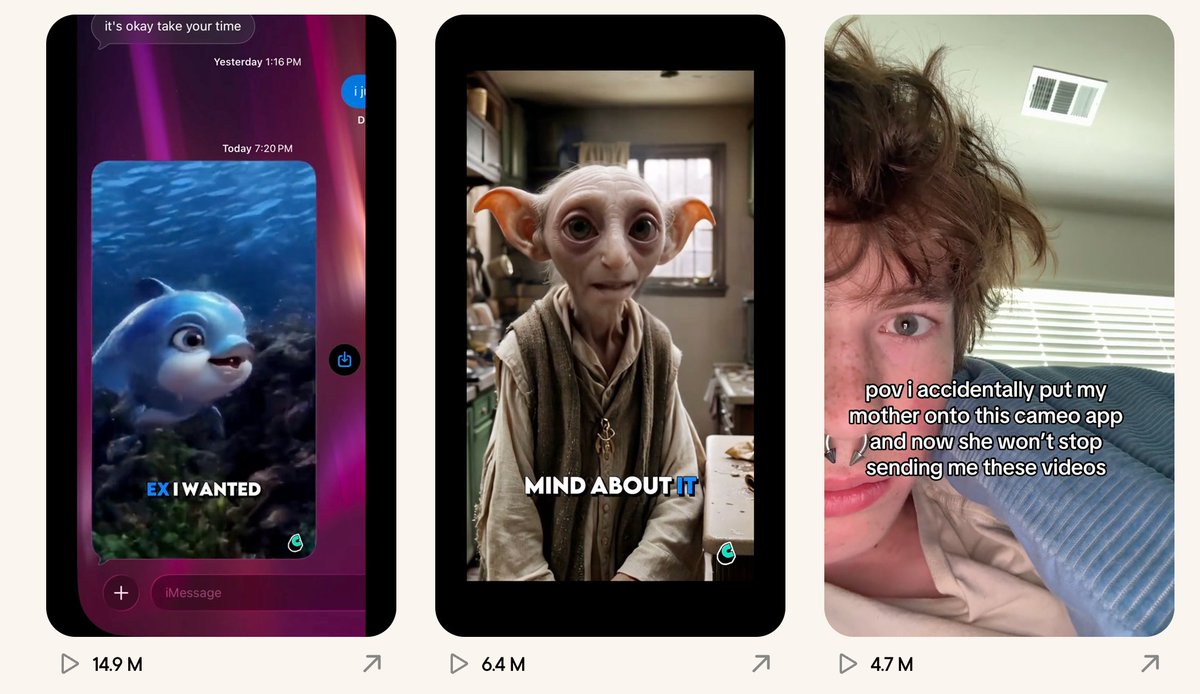
The craziest part is that the vast majority of the videos posted by Cantina's UGC accounts got 10K views or less, but it's a few hits that generated almost all the views and all the downloads.
Here's a step-by-step breakdown of how you can replicate the same results and get millions of views on your AI-generated UGC videos.
Market Research
Hard-working founders want to skip this step, but you cannot succeed in short-form content unless you study what works. Studying what works shows you what the algorithm currently values.
Here's what you're going to need to do to get a sense of the algorithm:
- Scroll TikTok for 5 hours per day
- Find TikToks that stand out to you (and save them)
- Find ads that speak to you and save them (they will look like any other videos but you will notice subtle links or product mentions)
- Find your competitors on TikTok/Instagram. Find out if they are posting themselves or getting most of their traffic from smaller accounts that are posting.
Let me reiterate: you will not succeed unless you follow this step.
The algorithm doesn't just reward high-quality videos and people aren't just going to watch high quality videos. You have to find out what's converting now in your niche.
General Tips
Popular Formats
On TikTok, the most viral format right now is the text layover + creator reaction and then an app demo. That's what was shown at the top for Cantina's videos.
- Actor + text layover (TikTok)
- Talking UGC (Instagram)
- Slideshows (TikTok + Instagram)
Posting Style
Changes in the algorithm have made the posting style for viral content much different now than it was 3 years ago.
The algorithm will push any content now that has viral potential, so the number of followers on the original account doesn't really matter.
Jonathan Liu, the legend behind Cupidly Keyboard, is one great example of a solo founder building through AI content on TikTok. He posts on smaller accounts and then always mentions his main account (for conversions).
Professional UGC firms use posting on small accounts and then include a link in the bio.
The key to all of these is having a super natural piece of content (hence the "user-generated" part of UGC), but there still has to be some link back to the brand.
That can be a subtle mention of the app/site in the content itself, a link in the bio, or even just an @ of the main account of the app/site that has the link in its respective bio.
The key in general for these tips is to specifically study what works in your niche and double down on what works for you.
Technical Details
There are four main parts of a viral UGC video that need to be created:
Script/Topic — can't be AI
Just like X posts, this needs to be natural. Study what works and write scripts that feel real. You can use Lightfall's script augmentation to refine your ideas into scroll-stopping hooks.
Reference Image — absolutely a necessity
No image generators are good enough or consistent enough with going straight from text to video. Image to video is 10x more consistent and is the only way to provide the realism necessary for UGC videos.
Nano Banana 2 is far and away the leader for this if you want great quality and a great price point.
Video — many models, different purposes
There are a lot of video models that can be used, and they should all be used for different purposes. Seedance 2.0 is great for cinematic videos, Kling 3.0 is the best for extensive motion, Sora 2 is a good general fallback, and Veo 3.1 is the best all around.
Captions — another necessity
90% of the world watches videos with the sound off. There's no reason to skip adding captions or you'll miss out on a major part of your potential audience.
CapCut is the gold standard for quality captions. All of the tools below offer some sort of captions as well that can be easily integrated into the workflow.
If you get all those right, you can end up with a video like this:
Tools to Use
If you know what you're doing and have experimented, it's probably best to create a custom workflow that combines winning scripts with the image and video creation and then add captions at the end.
If you're just getting started though, it's always easier to start with AI UGC generator tools that can generate full videos to experiment with.
1/ reel.farm
Has mastered the slideshow. If slideshows go viral in your niche, that's the tool to use to replicate successful slideshows.
$19/month for ~20 slideshows and ~8 videos
2/ arcads.ai
Known to be a great source for creating talking head-style videos. They use Veo 3.1 and Sora 2 under the hood.
$77/month for 5-10 videos
3/ makeugc.ai
Also well-known for talking head-style videos. These type of videos will usually perform better on Instagram/Facebook/YouTube than on TikTok.
$49/month for 5 videos
4/ lightfall.ai
A newer option that allows you to make TikTok-style text layover videos specifically.
$30/month for 10 videos
Access Billions of Users
If you're not selling and marketing on short-form, you're missing out on billions of potential customers. Yes, literally billions — here are some totals for daily active users:
- TikTok600 million
- Instagram Reels1.6 billion
- YouTube Shorts1.9 billion
- Snapchat Spotlight360 million
- Facebook Reels2.0 billion
At the very least, start experimenting.
The most basic tools above are free or super cheap, and one video could literally bring in 10x as many customers as everything else you're doing.
Start posting.
Ready to create your first AI UGC video?
Lightfall gives you 1 free video generation — no credit card required. Start creating.